
Hi Geeks,
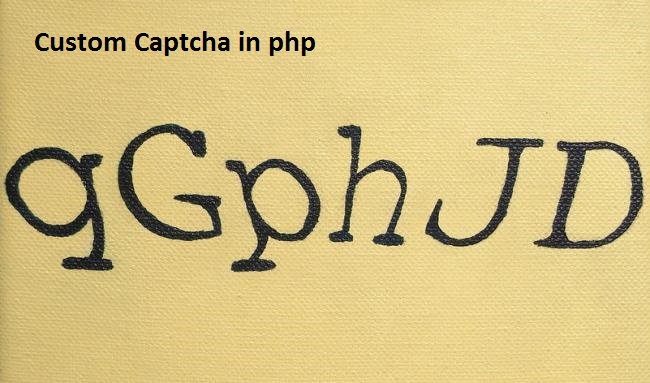
I am sharing you a program for creating a captcha script using php and javascript. Following are the simple steps to create captcha in php
Step 1: Create a php script named ‘captcha.php’ with following code that generate and return a captcha image.
<?php session_start();
if(isset($_SESSION['custom_captcha']))
{
unset($_SESSION['custom_captcha']); // destroy the session if already there
}
$string1="abcdefghijklmnopqrstuvwxyz";
$string2="1234567890";
$string=$string1.$string2;
$string= str_shuffle($string);
$random_text= substr($string,0,8); // change the number to change number of chars
$_SESSION['custom_captcha']=$random_text;
$im = @ImageCreate (80, 20)
or die ("Cannot Initialize new GD image stream");
$background_color = ImageColorAllocate ($im, 204, 204, 204); // Assign background color
$text_color = ImageColorAllocate ($im, 51, 51, 255); // text color is given
ImageString($im,5,5,2,$_SESSION['custom_captcha'],$text_color); // Random string from session added
ImagePng ($im); // image displayed
imagedestroy($im); // Memory allocation for the image is removed.
?>
Step 2: Now create a captcha.js file and put following code in the file.
function reload()
{
img = document.getElementById("capt");
img.src="captcha.php";
}
$(document).ready(function(){
var htm='<p><img src="captcha.php" id="capt"> <input width="30" height="30" type="image" src="reload.png" onClick="reload();" ></p><p><input type="text" name="g-recaptcha-response" > ';
$('#custom_captcha').html(htm);//set the captcha data in element having id > custom_captcha . you can change as your div/Element id
});
Step 3: Now we need to create a Placeholder Element inside the form as following:
<!--inside the form tag-->
<!--this custom_captcha id is used in js file,you can change in js and html both-->
<div id="custom_captcha"></div>
<!--inside the form tag-->
Step 4: Now after submitting you from validate the captcha was right or not. So in your form submit action use following code.
<?php

if(!isset($_REQUEST['g-recaptcha-response']) || empty($_POST['g-recaptcha-response']) )
{

	$error = "Please fill the captcha.";
	//you can use this error var later to show error message on your page
}
else
{


	$cresponse = urlencode($_REQUEST['g-recaptcha-response']);

	if($cresponse!=$_SESSION['custom_captcha'])
	{
	 $error = "INVALID CAPTCHA";
	 //you can use this var to show error invalid captcha
	}

}

//Now if no error then do your further process//
if($errors=="")
{
  //go ahed with form submission or data manipulation
}

?>
Note 1: In which page/form you are using the capcha , there should be session start in top of the file as following:
<?php @session_start(); ?>
and also include the js file in your php page head section. jquery should be available before the captcha.js inclusion as following:
<script src="https://ajax.googleapis.com/ajax/libs/jquery/1.12.4/jquery.min.js"></script>
<script src='captcha.js'></script>
Note 2: PHP GD LIBRARY SHOULD BE INSTALLED ON YOUR SERVER.